Paying for search
Switching to Kagi for search. Moving away from Google, DuckDuckGo, and the others.
Introduction
Searching the web is a service that I personally never put that much thought into. In part because up until recently, I never had a reason to. Google Search had been the go-to option, because it was the best. However, to no one's surprise, Google's results have been getting worse. Be that through more AI slop, paywalls, whatever. The experience has gone downhill, and many others agree when looking at sites such as Reddit 1.
Google Search alternatives
An alternative to Google Search that I have often seen is DuckDuckGo. I have used DuckDuckGo for a while, but would sometimes run into situations where I knew I should be getting results from a certain source or topic, but I would not be getting them from DuckDuckGo, having to resort back to Google.
It has been a while, so I can't remember any actual examples, but it happened enough to grow frustrated and ditch DuckDuckGo all together.
Next, I tried Ecosia for a short stint. Yet, similar to DuckDuckGo, I wasn't entirely satisfied with the results returned by it. Leaving me yet again to go back to Google.
Kagi
Fed up with Google, I decided I might as well try Kagi next. I had heard of Kagi in the past, but to be frank, the subscription model didn't appeal to me, especially since at the time Google was still good enough.
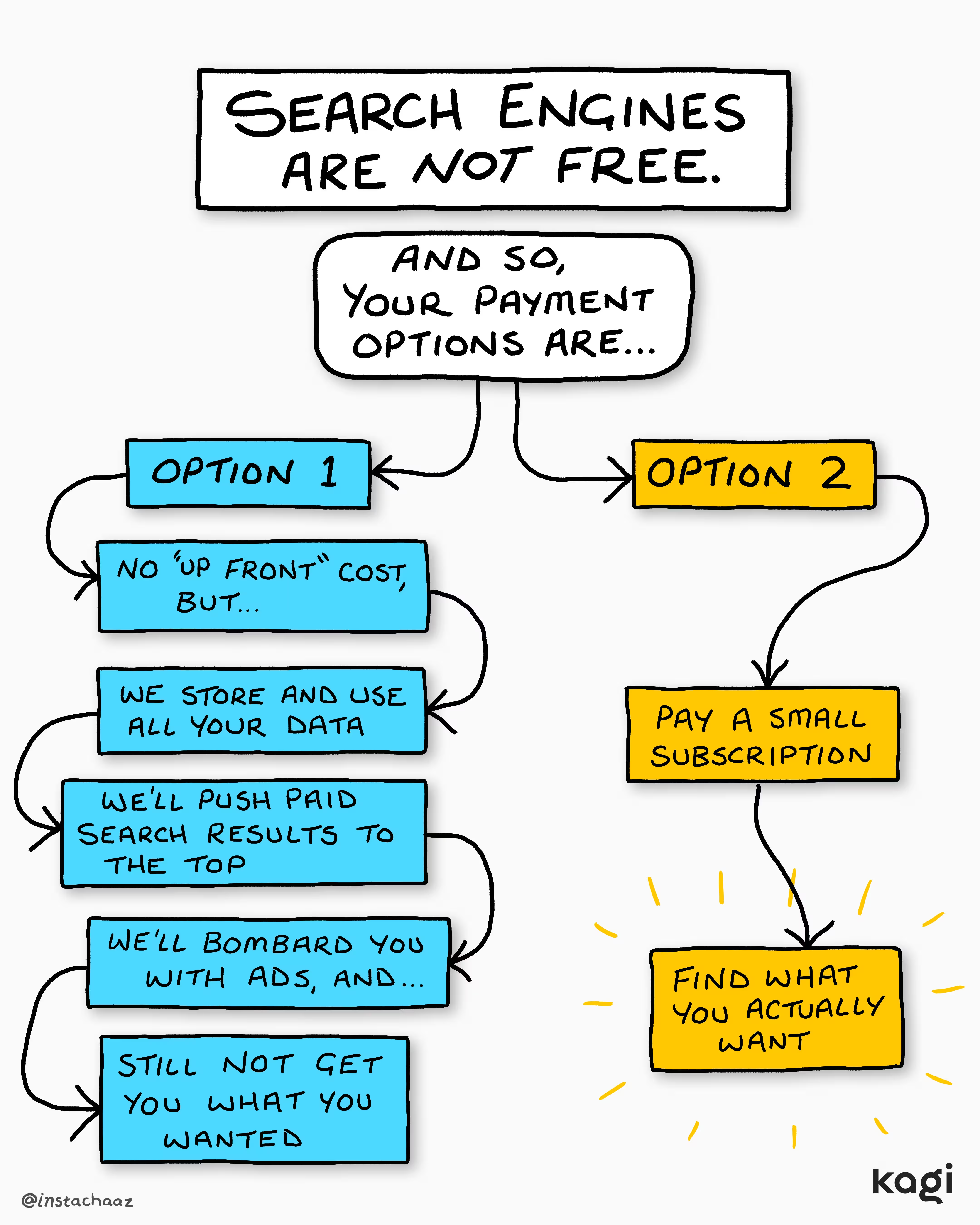
What's the appeal or pitch of Kagi, in case you're not familiar? Kagi's own article on this sums it up well 2. Instead of using the service for 'free' and getting bombarded with ads, sponsored top results, or other dark patterns, with Kagi you pay an upfront cost and get the results you want.
I signed up to the "Starter" plan at $5/month which includes 300 searches. Whether 300 searches is enough for you entirely depends on your use cases. But for context, I exceeded my 300 searches quota only on the last few days of the billing cycle. And to be honest, five Dollars to get a grasp on whether a service is to your liking is more than reasonable.
My Kagi experience
So, after a couple months, what's the experience like using Kagi? In short: great! So far I haven't felt any urge to use Google again, I haven't felt I was missing any results I would otherwise be getting. In fact, Kagi has instead demonstrated to me what a search engine should offer! Below I've added some quality of life features that I appreciate.
StopSlop
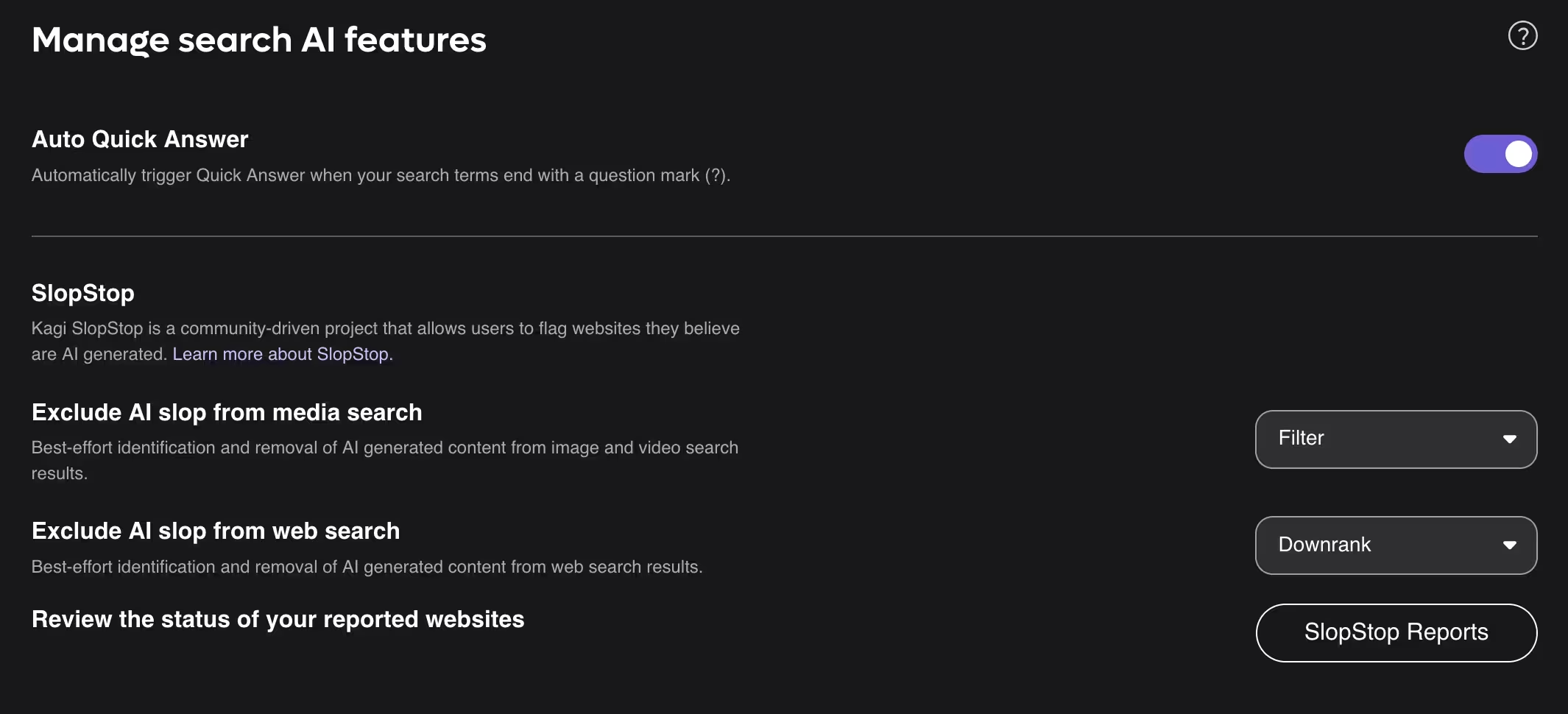
One of the main things that pushed me to try Kagi is their 'StopSlop' project 3. StopSlop aims to identify websites which are AI generated. Allowing users who wish to not see them to not have to see them, genius!
Lenses
Next are what Kagi calls 'lenses'. Lenses allow you to tailor your results to fit a desired source or type of results 4. Below are some of the defaults provided by Kagi:
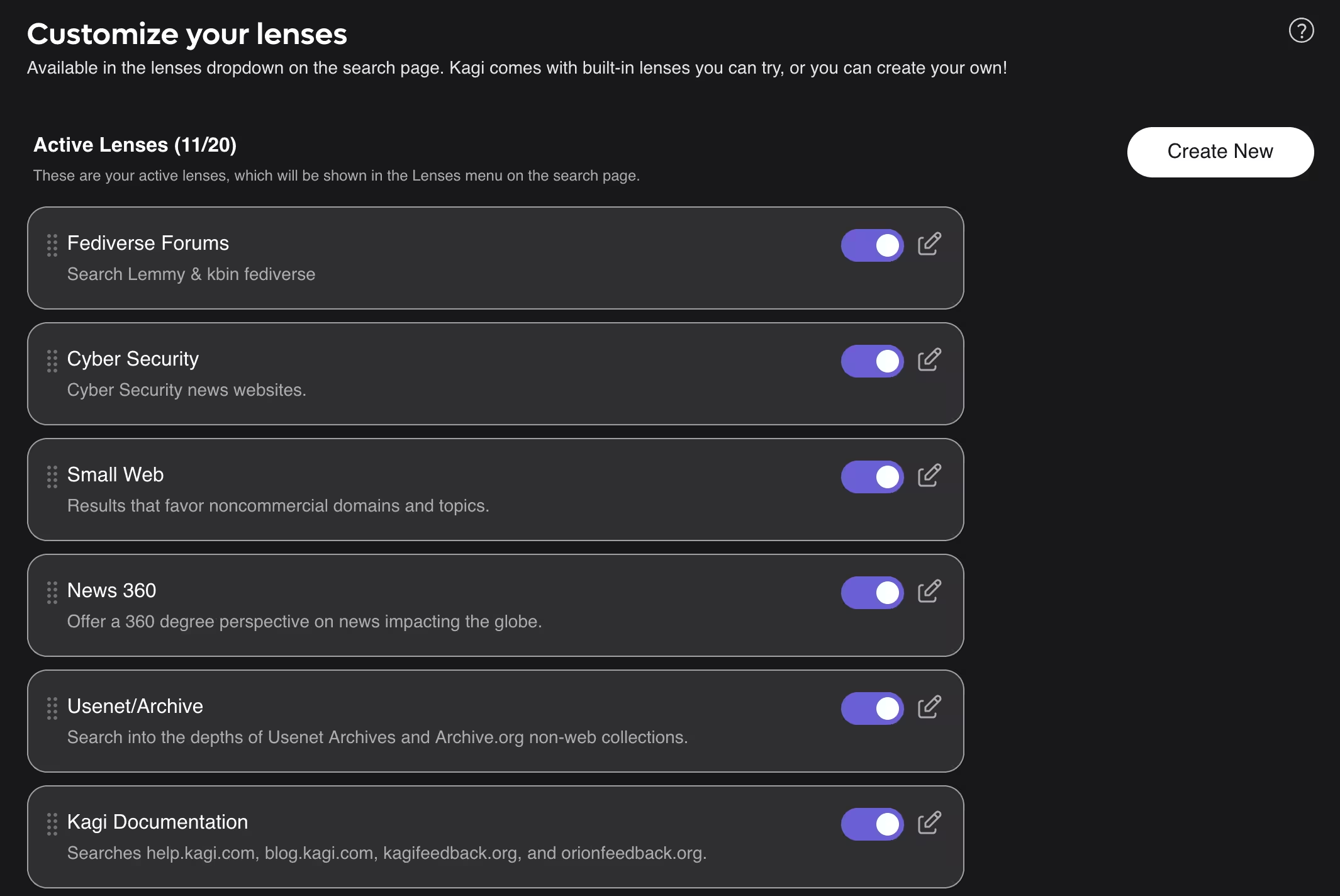
I haven't had to use them much, as most often the results are already pretty good. But having the option to create these custom filters is a welcoming feature!
'Small Web' results
In addition to lenses, Kagi's 'Small Web' is another feature I like a lot. Small Web aims to promote smaller websites which provide valuable knowledge 5. When recently looking for Lightroom alternatives I was pleasantly surprised to see an article from YouTuber Emily of micro four nerds as the top result!

Site ranking & blocking
The next topic follows the last topic of Small Web. In the search results,
the next result from digitalcameraworld.com has a shield with an orange
outline and exclamation mark. This is warning from Kagi that it has detected
this site serves a lot of trackers/ ads:
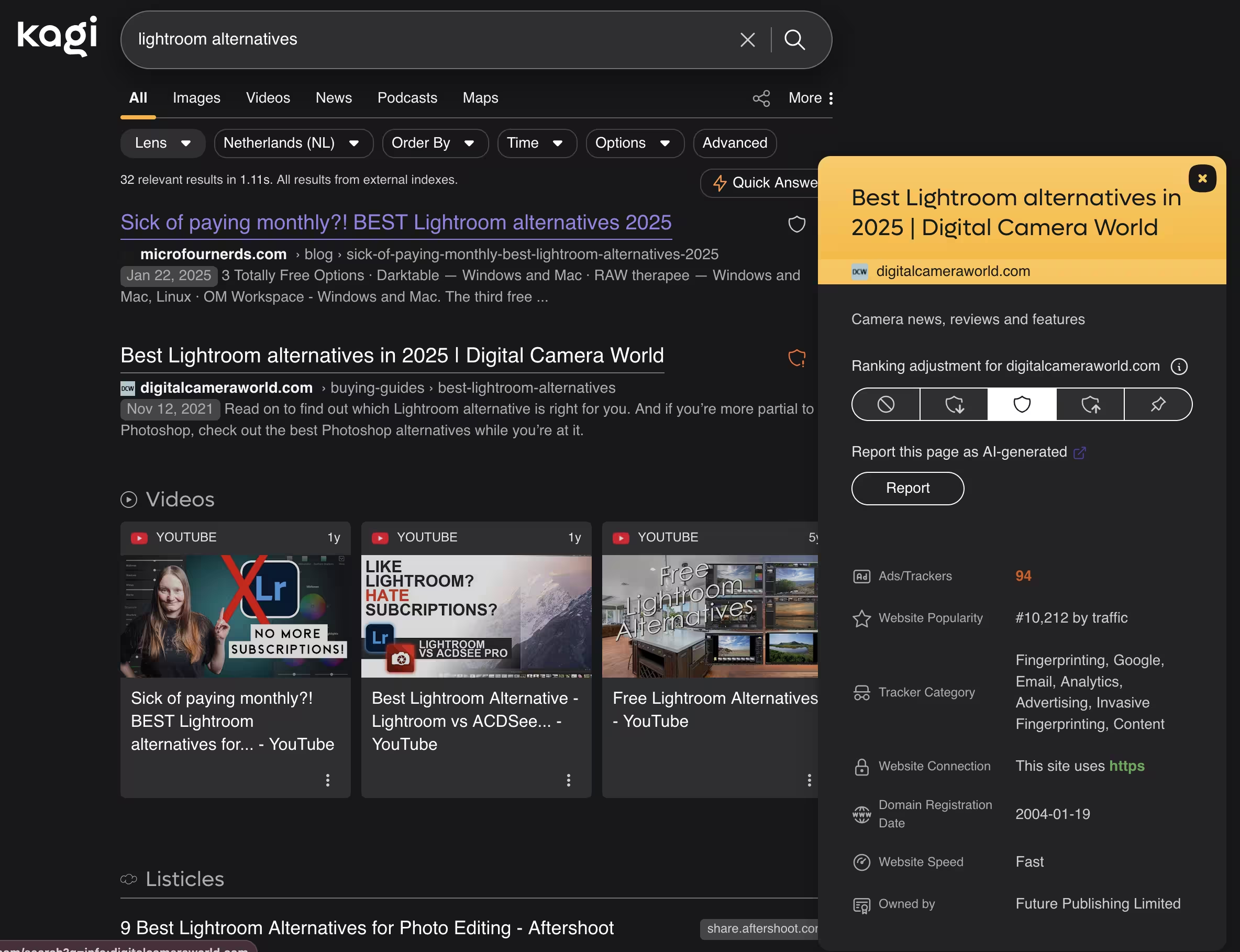
Through this ranking mechanism you can decide yourself which websites you want featured more prominently, which ones to down rank or filter out outright.
Wikipedia results navigation
I think I'm far from the only one when I say that it's generally a good feature that search engines embed results from sites, such as Wikipedia. It wasn't until I used Kagi that I saw it done correctly I'd almost say.
Instead of each reference link leading to you opening a new tab, even if you were only interested in a quick summary. Wouldn't it be great if the search engine would display that follow-up article? Well, Kagi does exactly that.
In the example below for Neurocysticercosis. When you click any of the references, Kagi will display that reference, with a breadcrumb allowing you to navigate back. I've added a short demonstration video to better get the UX benefit across.
Now, let's compare how Kagi's results and this Wikipedia UX stacks up against the competition: Google and DuckDuckGo. First up is Kagi's to set a baseline of sorts:
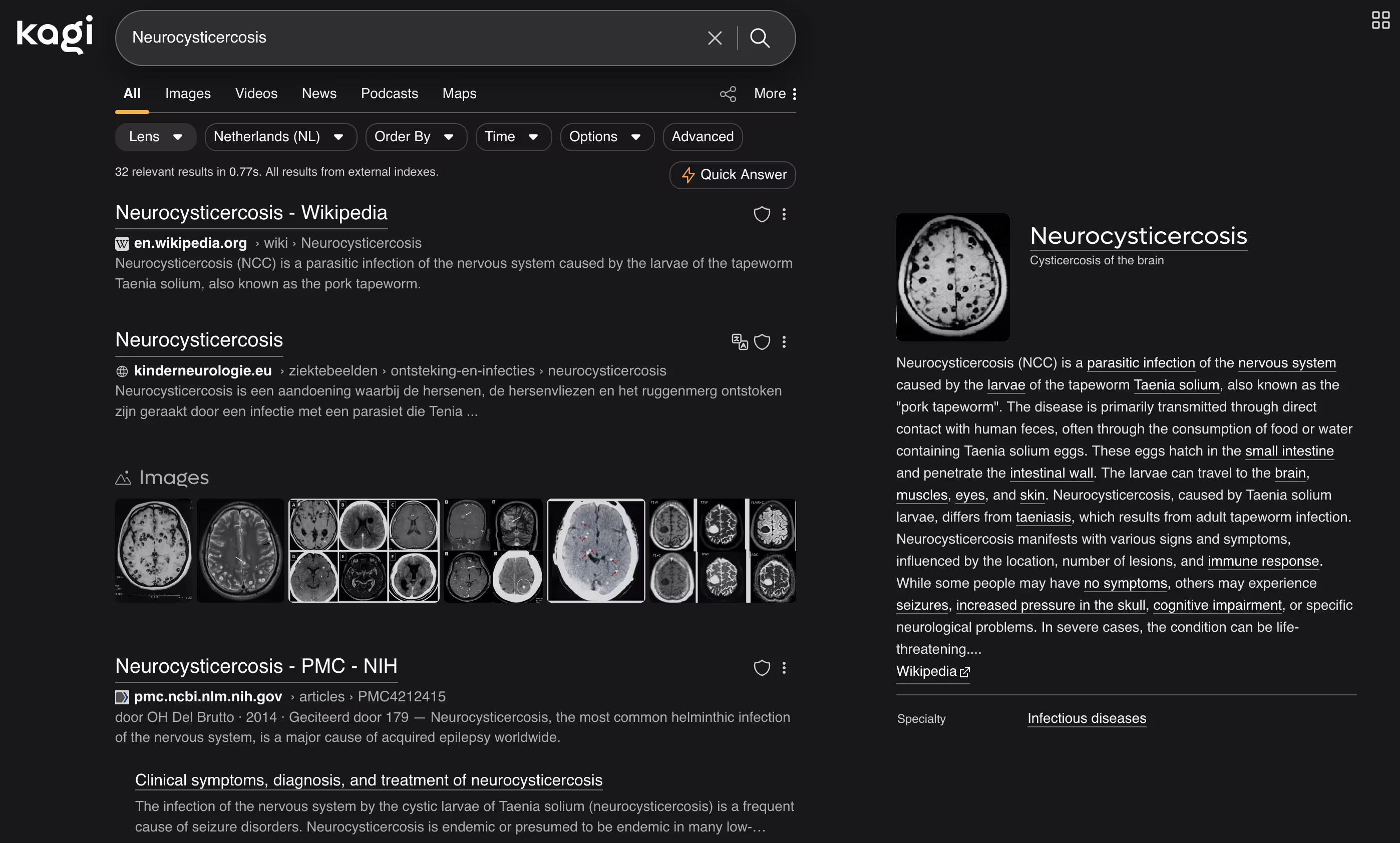
To me, this is pretty good. You get an embed of a source on the right hand for immediate reading. On the left are links to websites to read about the thing you were searching for. All in all, not much to complain. On to DuckDuckGo and its results.
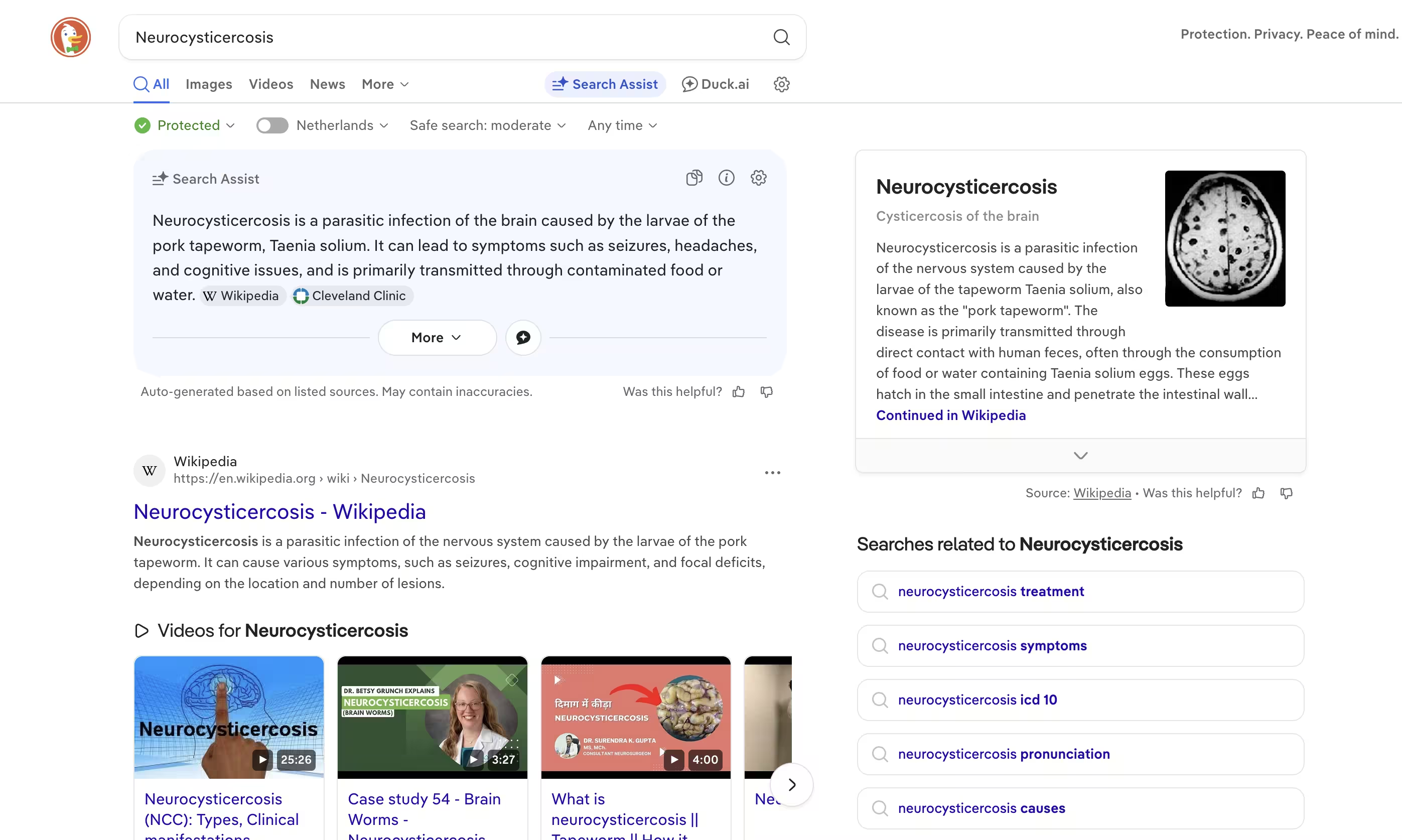
A similar output to Kagi, but no direct URLs in the Wikipedia results, which is unfortunate. The AI-generated overview is so-so, but again, no reference links or anything. All in all, not bad, but Kagi wins in my opinion. Lastly, let's look at how Google fares.

Now what are we looking at here? Most of the screen--a 14" MacBook Pro--is the AI summary with a single reference link for further reading. The page also feels zoomed-in, as if I were viewing it at 200% page zoom.
Additional services
Enough about search. Kagi also provides a suite of other services bundled with your subscription. Some of these are Kagi News, Translate and their Orion browser.
News
A new entry into the Kagi suite, Kagi News aims to provide a daily digest of news. Once per 24 hours, the feed gets refreshed and new articles displayed. Less ideal for breaking stories, but great to get a grasp on what has happened today, yesterday, or weeks ago.
What's great is that because the stories get refreshed once a day, each story has a list of sources which have reported on it. And for each source, details about the source. Below is an example for a story an iOS 26.3:

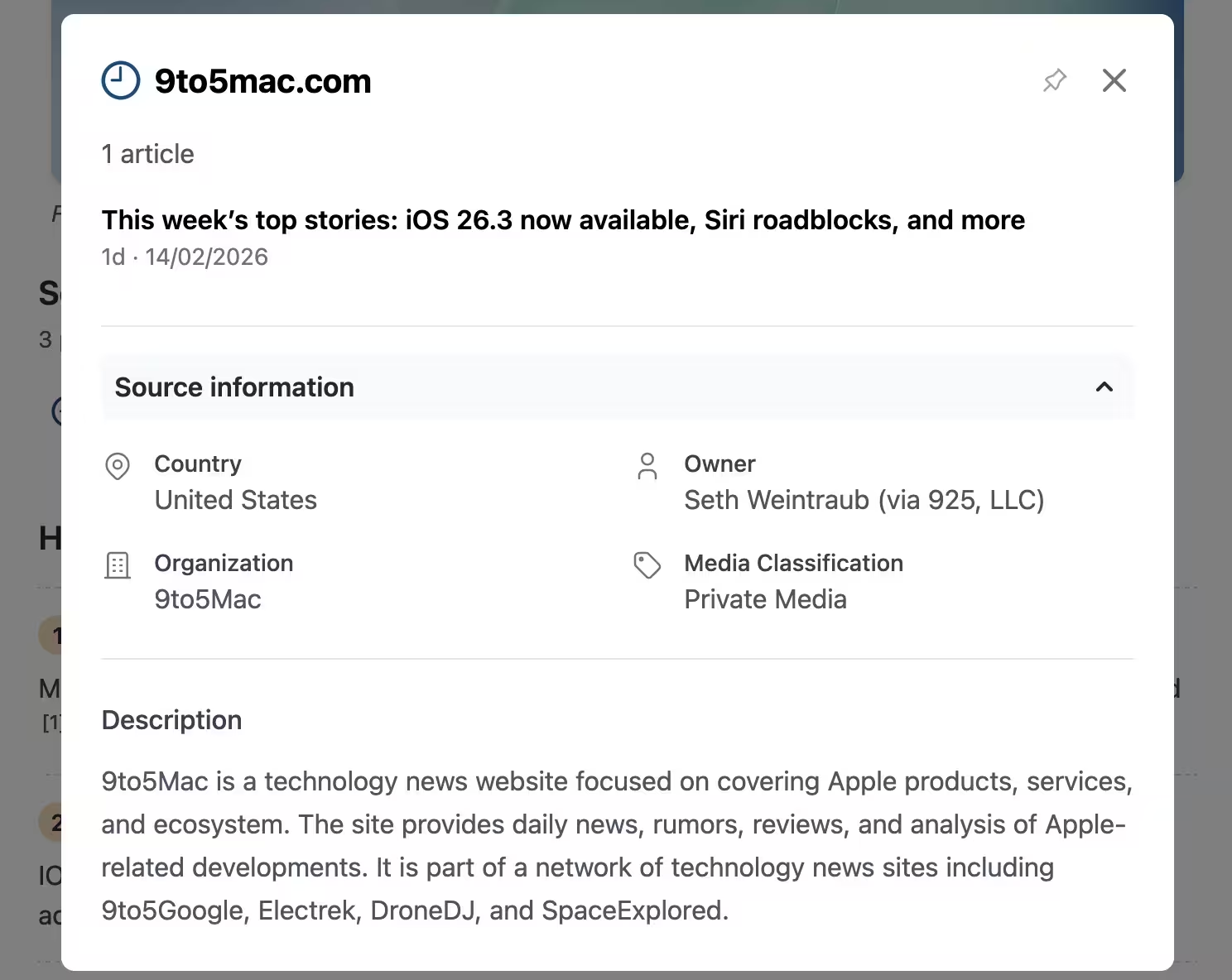
In addition, story highlights, perspectives, and action points are also given. And if one of the default article sections isn't to your liking, you can alter the layout or turn off a specific section.
Translate
Kagi's translate offers features similar to deepl.com. Allowing users to restructure translations by altering words and selecting dialects of the language they want to translate into, for example: 'Spanish' or 'Spanish (Mexico)'. As to how accurate these sub-options are, I'm not sure, so far for my own translation needs they have proven to be accurate.
In closing
Switching to Kagi for all my searching needs has proven to be worth the $10/month subscription cost. I'm happy with the results I'm getting and the result personalisation I can apply to the already pretty good results. My only hope is that Kagi can keep up this effort and the service retains this quality, if not improves as time goes on.
Thanks for reading, and until next time :)